prRopeRig Plug-in for Maya
Introduction
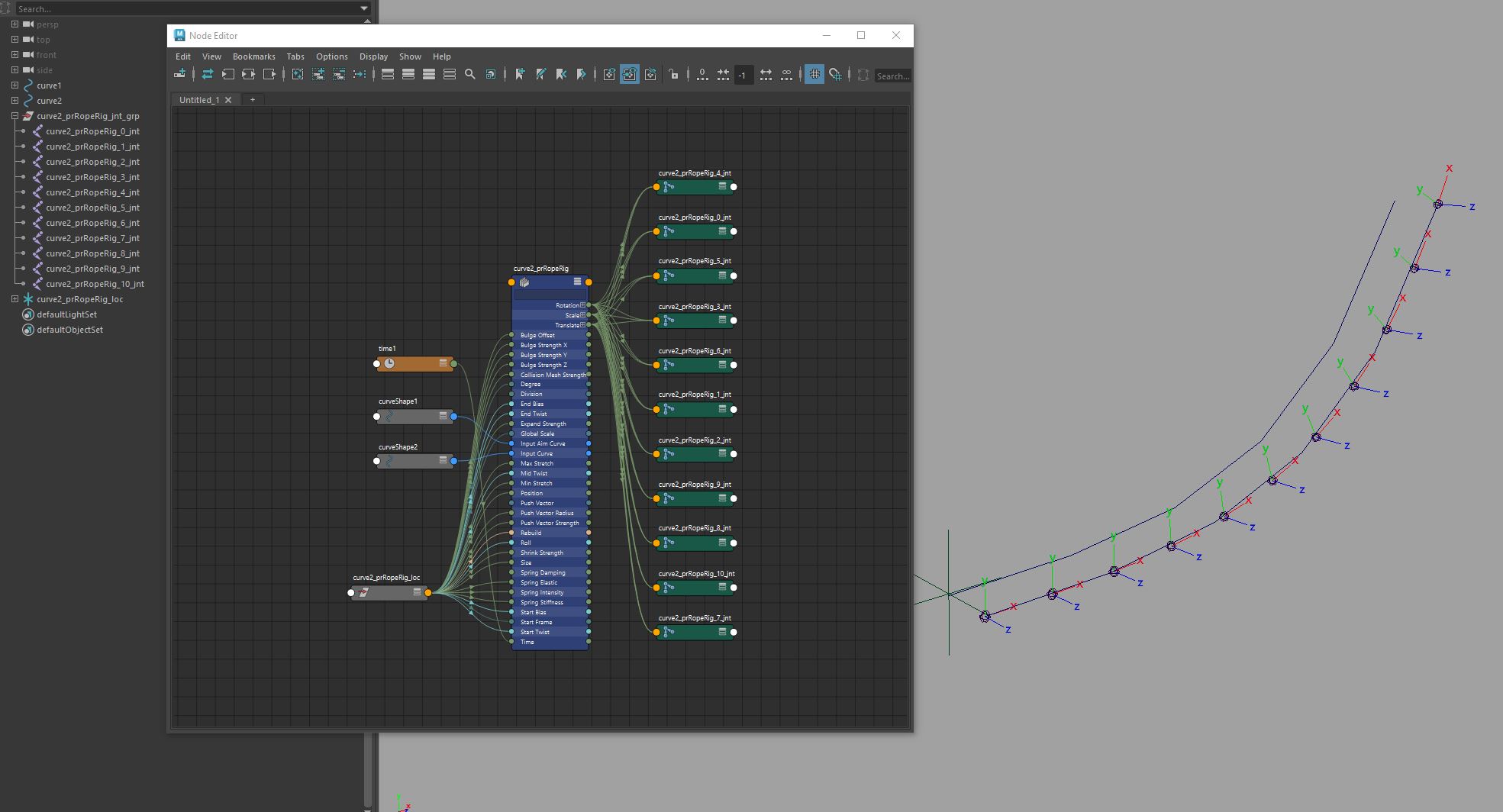
PRRopeRig is a custom Maya plugin developed in C++ to help riggers and animators create dynamic rope- or tail-like structures with more flexibility and control than Maya’s native Spline IK. Designed with real production needs in mind, this tool streamlines the rigging process by reducing node clutter and providing features like squash/stretch, twist, bulge, jiggle, collision, and motion path-like behavior—all controllable via a centralized helper node.
Features
- Mesh Collision Support.
- Spring & Jiggle Motion.
- Stretch & Squash Control.
- Push Vector System, Offset joints along a directional vector using a connected locator.
- Twist ,Roll and Bias
- Bulge Deformation.
- Motion Path Behavior
- Dynamic Rebuilding: Rebuild the control curve to a degree that is customizable.
- Stretch Control & Lock Length
- Ramp attribute to control the spring intensity, bulginess, shrinkage, and expansion influence along the curve.
Input Parameters
- Input Curve: The primary curve along which the joints are positioned.
- Input Aim Curve: A secondary (helper) curve used to calculate the aim vector for the joints.
- Push Vector: A matrix input that pushes the joints along the curve toward the specified matrix position.
- Collision Mesh: A mesh that interacts with and causes collisions with the joints.
- Division: Number of output segments, including translation, rotation, and scale.
- start Frame: Determines the frame at which the spring effect should be enabled.
- spring Intensity: Controls the overall effect of the spring.
- spring Stiffness: Determines the rigidity of the spring effect.
- Spring Damping: Dampens the spring effect, with higher values causing the spring to settle faster.
OUTPUT PARAMETERS
- Rotation,Translate and Scale: Output arrays containing the rotation, translation, and scale values, generated based on the Division input and the assigned curve.
License
prRopeRig is under the terms of the MIT License
Copyright (C) 2017-2025 Mohammad Jafarian
Permission is hereby granted, free of charge, to any person obtaining a copy of this software and associated documentation files (the “Software”), to deal in the Software without restriction, including without limitation the rights to use, copy, modify, merge, publish, distribute, sublicense, and/or sell copies of the Software, and to permit persons to whom the Software is furnished to do so, subject to the following conditions:
The above copyright notice and this permission notice shall be included in all copies or substantial portions of the Software.
THE SOFTWARE IS PROVIDED “AS IS”, WITHOUT WARRANTY OF ANY KIND, EXPRESS OR IMPLIED, INCLUDING BUT NOT LIMITED TO THE WARRANTIES OF MERCHANTABILITY, FITNESS FOR A PARTICULAR PURPOSE AND NONINFRINGEMENT. IN NO EVENT SHALL THE AUTHORS OR COPYRIGHT HOLDERS BE LIABLE FOR ANY CLAIM, DAMAGES OR OTHER LIABILITY, WHETHER IN AN ACTION OF CONTRACT, TORT OR OTHERWISE, ARISING FROM, OUT OF OR IN CONNECTION WITH THE SOFTWARE OR THE USE OR OTHER DEALINGS IN THE SOFTWARE.
Installation
- Download the plugin files.
- Drag and drop the
dragDropInstaller.pyfile into the Maya viewport. - A new menu called “Perseus” will appear in the Maya Menu. If you don’t see this menu, ensure that “
perseus” is enabled in the plugin manager.
Usage
Select two curves, then under prRigTools Menu, click on the prRoperig

To create custom rigs using the prRoperig by Python, follow the steps below:
Rope Rig
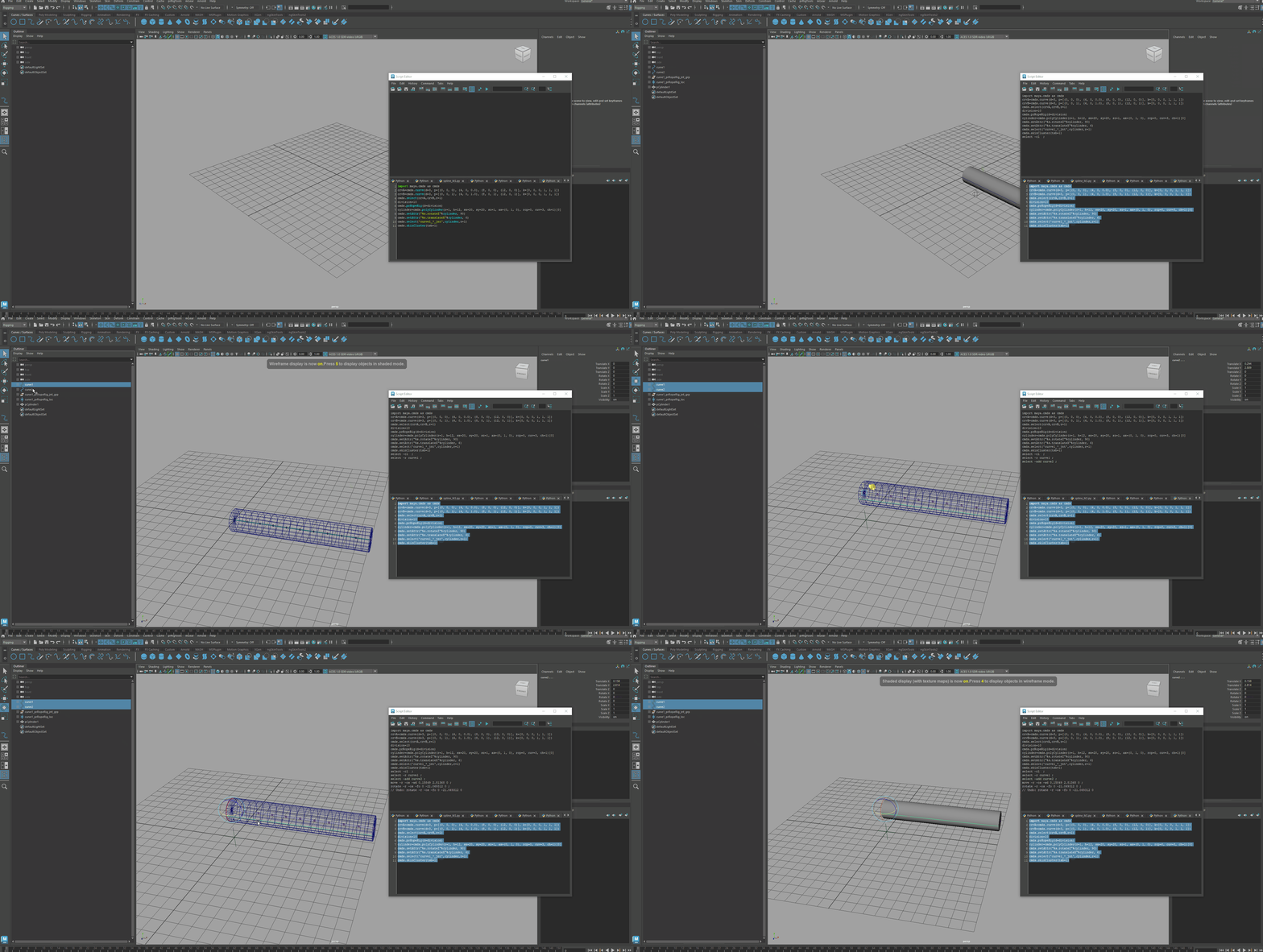
import maya.cmds as cmds
crvA=cmds.curve(d=3, p=[(0, 0, 0), (4, 0, 0.0), (8, 0, 0), (12, 0, 0)], k=[0, 0, 0, 1, 1, 1])
crvB=cmds.curve(d=3, p=[(0, 0, 1), (4, 0, 1.0), (8, 0, 1), (12, 0, 1)], k=[0, 0, 0, 1, 1, 1])
cmds.select(crvA,crvB,r=1)
division=10
cmds.prRopeRig(d=division)
cylinder=cmds.polyCylinder(r=1, h=12, sx=20, sy=20, sz=1, ax=(0, 1, 0), rcp=0, cuv=3, ch=1)[0]
cmds.setAttr("%s.rotateZ"%cylinder, 90)
cmds.setAttr("%s.translateX"%cylinder, 6)
cmds.select('curve1_*_jnt',cylinder,r=1)
cmds.skinCluster(tsb=1)
 PERSEUS AUTO RIG