prSquash Deformer for Maya
Introduction
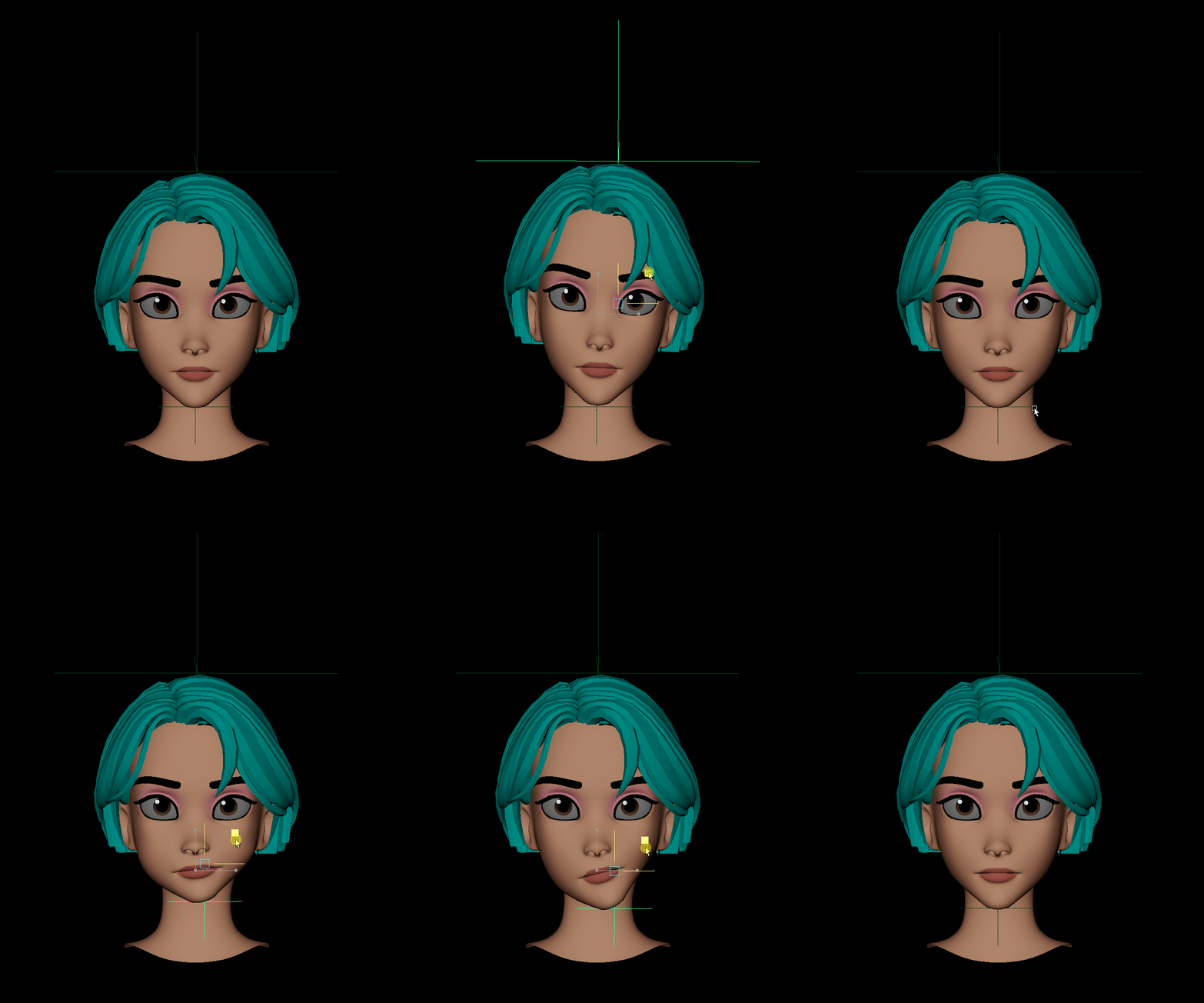
The “prSquash” plugin is a powerful deformer node developed for Autodesk Maya by Mohammad Jafarian that combines twist, squash, stretch, and bend deformations. It simplifies the process of creating bendy squash and stretch effects, especially for cartoony head models or chewing animations.
Creating bendy squash stretch effects, particularly for facial rig or muzzle animations, can be a complex and time-consuming task in Autodesk Maya. Artists often employ various techniques such as using Maya standard nonlinear deformers like bend and squash, adding Muscle Stretch deformers, or using spline ik joints and manipulating their scale attributes. However, these methods come with their own challenges and limitations. In order to simplify the process and enhance performance in the Maya viewport, a new deformer node has been developed. This deformer node consolidates all the necessary functionalities and introduces multi-threading.
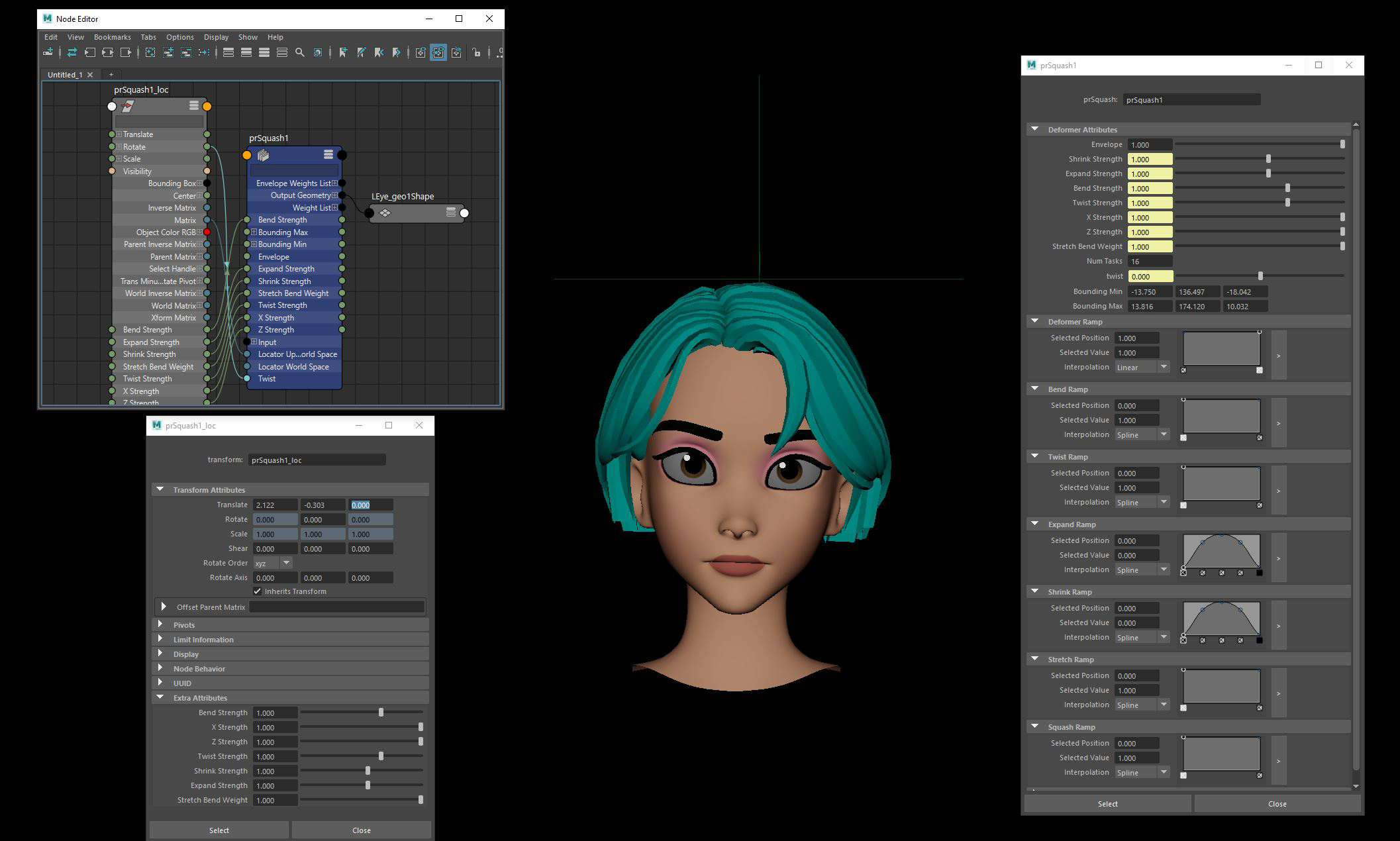
The deformer node offers a comprehensive solution for achieving bendy squash stretch effects efficiently. By incorporating this node into your workflow, you can easily apply it to your selected mesh and utilize a helper locator to drive the deformation. Additionally, a group associated with the locator indicates the pivot point of the deformer, further enhancing control and precision.
Within the deformer node, the deformation order is organized as follows:
- Twist : The twist component of the deformation is applied.
- Squash Stretch: The squash and stretch effect is implemented.
- Bend: The bending deformation is applied.
The deformer node not only simplifies the process of creating bendy squash stretch effects but also significantly improves performance in the Maya viewport. This is achieved through the implementation of multi-threading techniques.
Features
- Supports twist, squash, stretch, and bend deformations.
- High performance in Maya viewport with multi-threading .
- Easy setup using a deformer node and a helper locator.
- Customizable deformation parameters for fine-tuning the effect.
- Ability to control weights using paint maps.
- Flexible deformation customization using ramp attributes.
- Supports bounding limits for targeted deformation.
- Compatible with Lattice, Nurbs, and Curves
Input Parameters
- Twist Strength : Determines the twist weights.
- Bend Strength: Determines the bend weights.
- Shrink Strength : Determines the shrink weights when stretched.
- Expand Strength : Determines the expansion weights when squashed.
- X Strength : Determines the effect of X on shrink and expand.
- Z Strength : Determines the effect of Z on shrink and expand.
- Stretch Bend Weight : Determines the effect of current shrink and expansion on bend weight.
- Bounding Min & Max : Specifies the range of components to be deformed based on their height.
Maps
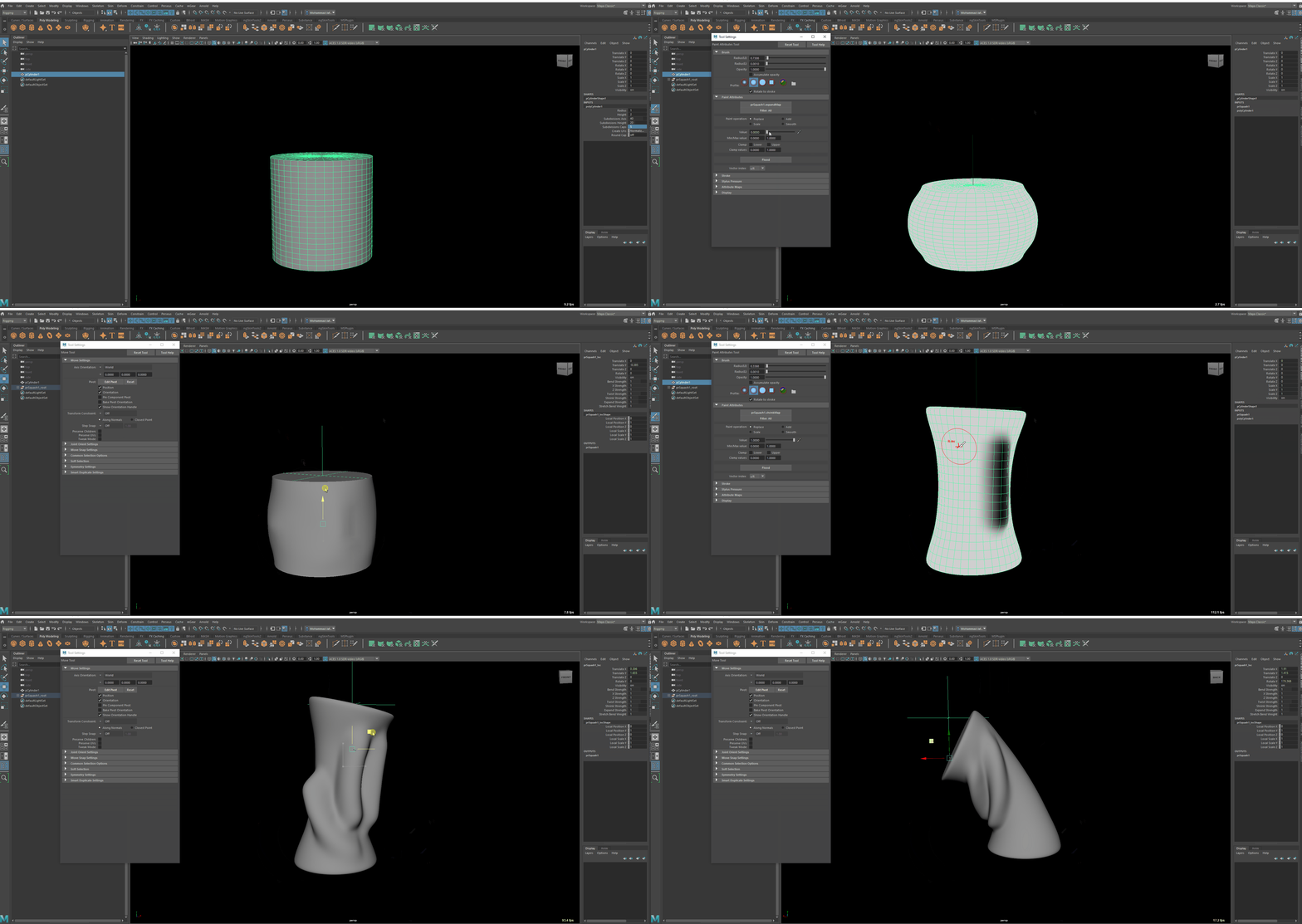
The Squash deformer allows you to control the weight of each component using the following paint attributes:
- Weights Map
- Expand Map
- Shrink Map
- Squash Map
- Stretch Map
Ramp Attributes
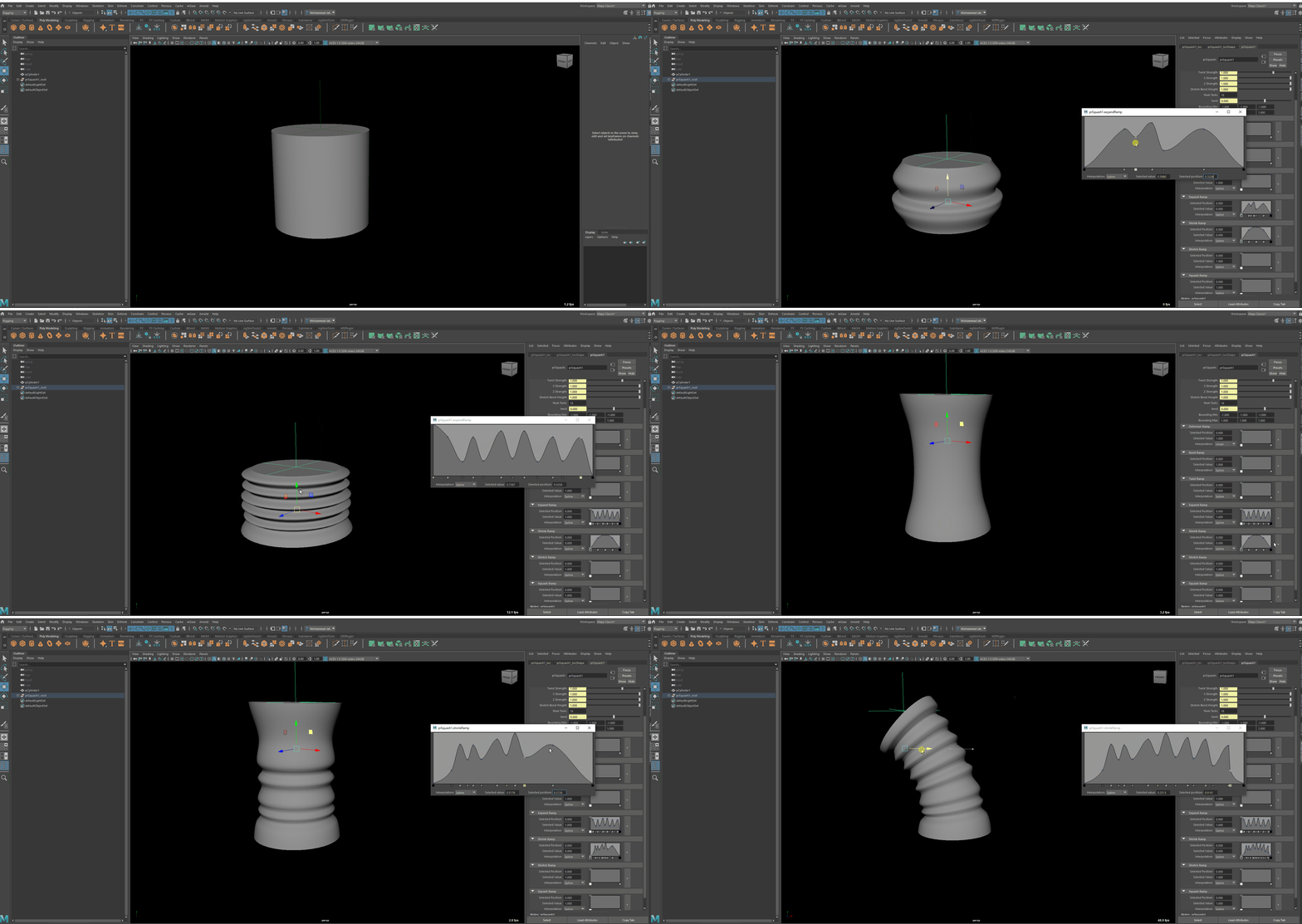
The Squash deformer also provides ramp attributes for more precise customization. For example, you can create a “melt” effect by manipulating the expand ramp attribute to have a downward graph. In this case, the components close to the bounding min values will be expanded more.
- Deformer Ramp
- Bend Ramp
- Twist Ramp
- Expand Ramp
- Shrink Ramp
- Squash Ramp
- Stretch Ramp
License
prSquash is under the terms of the MIT License
Copyright (C) 2017-2023 Mohammad Jafarian
Permission is hereby granted, free of charge, to any person obtaining a copy of this software and associated documentation files (the “Software”), to deal in the Software without restriction, including without limitation the rights to use, copy, modify, merge, publish, distribute, sublicense, and/or sell copies of the Software, and to permit persons to whom the Software is furnished to do so, subject to the following conditions:
The above copyright notice and this permission notice shall be included in all copies or substantial portions of the Software.
THE SOFTWARE IS PROVIDED “AS IS”, WITHOUT WARRANTY OF ANY KIND, EXPRESS OR IMPLIED, INCLUDING BUT NOT LIMITED TO THE WARRANTIES OF MERCHANTABILITY, FITNESS FOR A PARTICULAR PURPOSE AND NONINFRINGEMENT. IN NO EVENT SHALL THE AUTHORS OR COPYRIGHT HOLDERS BE LIABLE FOR ANY CLAIM, DAMAGES OR OTHER LIABILITY, WHETHER IN AN ACTION OF CONTRACT, TORT OR OTHERWISE, ARISING FROM, OUT OF OR IN CONNECTION WITH THE SOFTWARE OR THE USE OR OTHER DEALINGS IN THE SOFTWARE.
Installation
- Download the plugin files.
- Drag and drop the
dragDropInstaller.pyfile into the Maya viewport. - A new menu called “prRigTools” will appear in the Maya Menu. If you don’t see this menu, ensure that “
perseus” is enabled in the plugin manager.
Usage
Select the model(s), then under prRigTools Menu, click on the Squash Deformer.
To create custom rigs using the prSquash by Python, follow the steps below:
1. Head Squash Stretch Deformer
import maya.cmds as cmds
cmds.polySphere(cuv=2, sy=50, ch=1, sx=50, r=1, ax=(0, 1, 0))
cmds.prSquash()
cmds.select('prSquash1_loc',r=1)
2. Head&Muzzle Squash Stretch Deformer
import maya.cmds as cmds
cmds.polySphere(cuv=2, sy=50, ch=1, sx=50, r=1, ax=(0, 1, 0))
cmds.prSquash()
cmds.prSquash()
cmds.setAttr("prSquash2_root.rotateX", 180)
3. Four-Side Squash Stretch Deformer
import maya.cmds as cmds
cmds.polySphere(cuv=2, sy=50, ch=1, sx=50, r=1, ax=(0, 1, 0))
for i in xrange(4):
	cmds.prSquash()
cmds.setAttr("prSquash2_root.rotateX", 180)
cmds.setAttr("prSquash3_root.rotateX", 90)
cmds.setAttr("prSquash4_root.rotateX", -90)
The Squash plugin for Maya offers a powerful and efficient solution for creating bendy squash and stretch effects. Its easy setup, customizable parameters, provide artists with a streamlined workflow for achieving high-quality deformations in their projects.
 PERSEUS AUTO RIG